Quick access
Reach a tool from the menu bar or tray, act, and carry on.
A little less interruption
Capture. Launch. Stay awake. Change the view. Everyday tools, together when you need them.
macOS / Windows · Open-source desktop toolbox
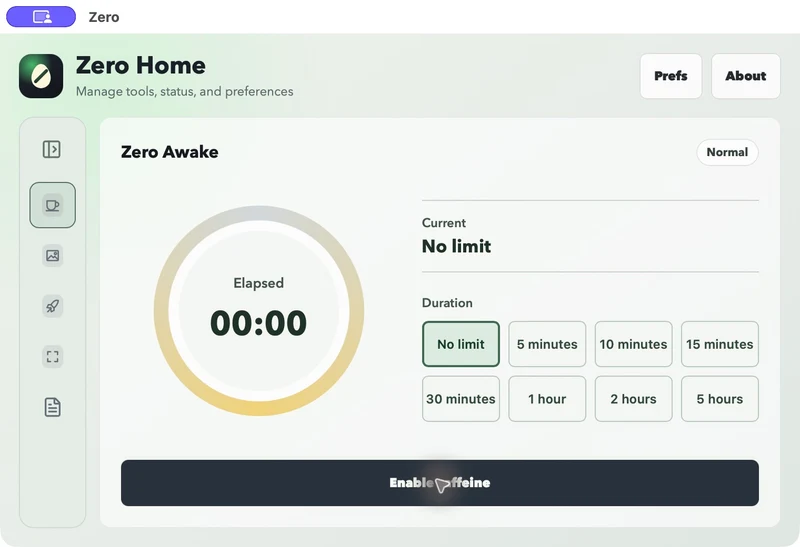
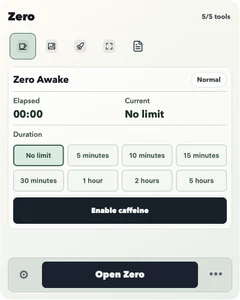
01 / Two rhythms. One Zero.
Quick access fits around your work. The full workspace gives options, status and actions a place of their own.
Reach a tool from the menu bar or tray, act, and carry on.
Open the main window to see status and work through the options.
macOS · v0.1.0 development build · Awake interface. The screenshots show the development tool catalog; the standard trial excludes File.
02 / Everyday tools, each with a purpose
Four tools for four everyday jobs. Turn them on at your pace and keep your desktop in order.
Keep the important part of your screen and make your point clearly.
macOS: custom capture and annotation. Windows: opens the system screenshot tool.
Snap Usage guide →Explain a problem. Share a detail.
Find an app by name or pinyin and get back to what you came to do.
macOS / Windows. App sources and shortcuts vary by platform.
Launch Usage guide →From thinking of an app to using it.
Presentations, downloads and long tasks. Pick a duration or keep going until you stop.
macOS / Windows. State and expiry are managed by the native host.
Awake Usage guide →Let the task finish before the computer sleeps.
Browse Bing wallpapers and bring a small change to a familiar workspace.
New wallpapers need a network connection. Applying them varies by platform.
Paper Usage guide →Start the day with another perspective.
03 / A sense of proportion
Keep quick actions close at hand. Give richer options room in the main window.
Local operations and network features are explained separately. Platform differences are visible before you start.
Implementation, issues and development notes live on GitHub. Concrete progress shows what is available today.
There is no public GitHub Release yet. Read the trial packaging guide and follow the project; this site does not link directly to unpublished installers.
Some features differ. Snap provides custom capture and editing on macOS and opens the system screenshot tool on Windows. Check project records for platform installation and native verification status.
Standard includes Awake, Paper, Snap and Launch. Core has no bundled tools and is intended for host trials and size comparison. They share the same app identity and data directory and cannot run as independent apps together.
System operations such as Awake run locally. Fetching new Paper wallpapers, downloads and checking update information need a connection. Not every feature is entirely offline.
The project has a plugin architecture and developer protocol. The public third-party runtime is not open yet, and the website does not install plugins.
Start with the small things you need today.
Explore the trial